
FamilyBoard

The shared family calendar that actually keeps up

Voice input, color-coded schedules, and AI planning for busy parents. One calendar. Everyone on the same page.

Coming soon. Email support@familyboard.io for early access.

Built by parents, for parents

We started FamilyBoard because our own family calendar was a mess. Post-its on the fridge, screenshots in the group chat, one parent missing an invite. There is a better way — and this is what we are building.

6 languages
English, Swedish, German, Norwegian, Danish, Spanish
GDPR-secure
Data stored in the EU. You own your information.
No ads
No ads. No trackers. No selling your data — ever.

How FamilyBoard works

Three steps from chaos to calendar. No complicated setup — you will be running in under five minutes.

Hands arranging colored cards on a wooden table
01

Add your family

Invite your partner, kids, or grandparents with a single link. Each person gets their own color. Younger kids do not need a device — parents stay in control.

Close-up of a person speaking into a phone with sound waveform
02

Say or type what is happening

"Mia has soccer Tuesday at 5pm" — that is all you need. FamilyBoard figures out who, what, and when, and creates the event for you. Prefer typing? That works too.
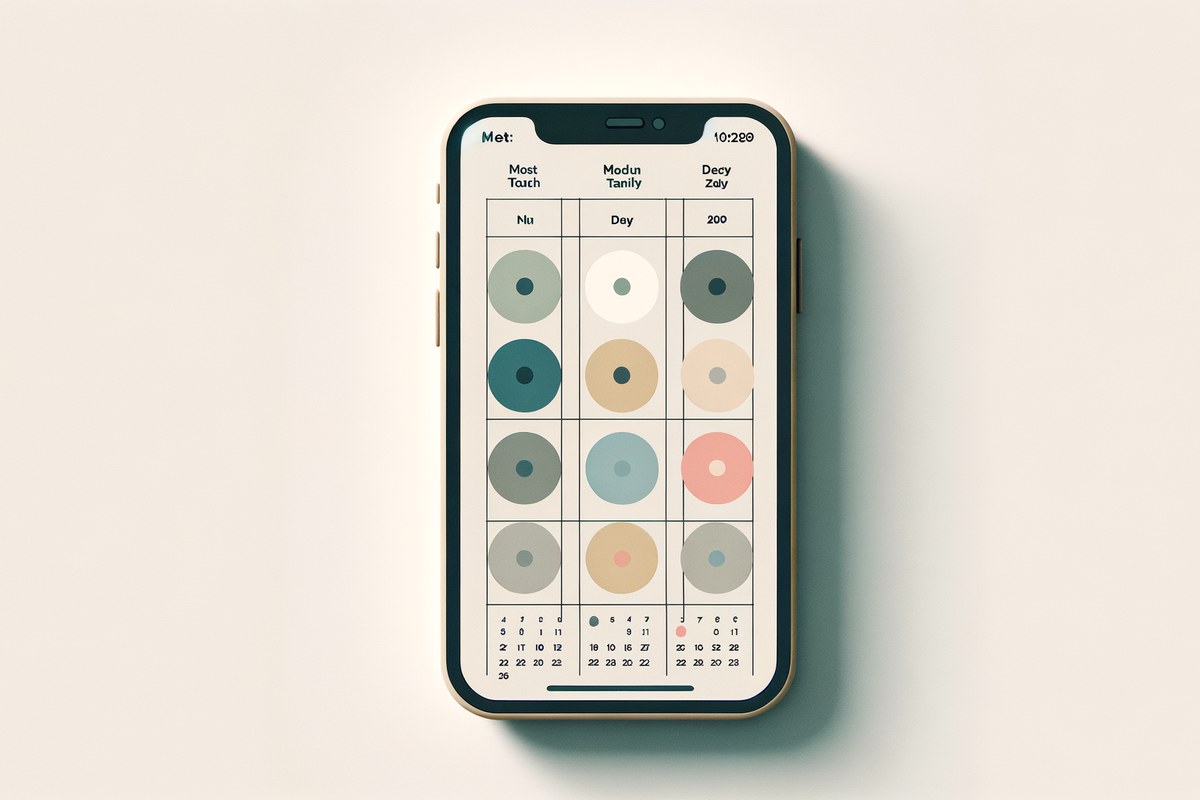
Calendar week view with colored dots per family member
03

The app assigns it to the right person

The event lands on the right family member, in the right color, and shows up for everyone instantly. Every Sunday you get a calm weekly summary — with conflicts, gaps, and reminders already flagged.

Built for real families

Eight features that solve the scheduling your family actually has — not another empty calendar to fill.

Say 'Mia has soccer Tuesday at 5pm'

Add events with your voice. FamilyBoard understands who, what, when — and assigns it to the right person.

One calendar for the whole family

Shared and color-coded per family member. See instantly who's doing what — no double-booking.

Rolling schedules that run themselves

Set up 2-, 3-, or 4-week cycles for pickups, dinners, or activities. FamilyBoard rolls them forward automatically.

AI weekly summary every Sunday

Get a calm overview of the week ahead — including conflicts, gaps, and reminders.

Task handoffs between parents

Flag any pickup or dinner as "needs a swap" — the other parent accepts with one tap. No more tangled text threads about who is getting the kids.

Booking links for kids' activities

Coaches, music teachers, or the school can send a booking link. Tap, confirm, and the slot lands on the right kid in your family calendar.

Automatic reminders

FamilyBoard sends smart notifications before pickups, homework, or activities — to the right person, at the right time.

Privacy first

Data is encrypted and stored in the EU. No ads, no trackers. Delete the entire family in one tap, whenever you want.

Who is FamilyBoard for?

We built FamilyBoard for the families whose daily life does not fit a standard calendar grid.

Busy parents with multiple kids

When three kids have three activities across three nights, Google Calendar turns into a wall of text. FamilyBoard color-codes by child and shows the week as an overview — not a list.

Shift workers and irregular schedules

Working 2-2-3, nights, or rotating shifts? Enter your pattern once — FamilyBoard rolls it forward and matches pickups and dinners against it automatically.

Co-parents living apart

Share a calendar with your co-parent without sharing your whole life. FamilyBoard has a dedicated co-parent view that shows only what needs to be shared.

Parents with teenagers

Teens want their own view — parents want to know when they will be home. FamilyBoard gives teens ownership of their calendar while the family still sees the whole picture.

One price for the whole family

Unlimited family members. Cancel anytime.

Monthly

$5.99/mo

49 SEK · €4.99 · 49 NOK · 49 DKK

  • All features
  • Unlimited family members
  • Weekly AI summaries
Save 44%

Yearly

$39.99/yr

299 SEK · €29.99 · 299 NOK · 299 DKK

Equivalent to $3.33/mo

  • Everything in monthly
  • 44% off vs monthly
  • One payment per year

Subscription auto-renews until canceled. Manage subscriptions in the App Store or Google Play.

Frequently asked questions

The questions parents ask us most often. Still stuck? Email support@familyboard.io.

What is included in the subscription?

Everything. Your FamilyBoard subscription unlocks unlimited family members, voice input, rolling schedules, AI weekly summaries, booking links, and parent handoffs. We do not hide features behind extra in-app purchases — the same price gives the same app to your whole family, whether there are two of you or eight.

Is there a free version?

You can try FamilyBoard free for 14 days — no credit card required, just an Apple or Google account. After the trial, pick monthly or yearly. Want to read more first? See our post on why we built FamilyBoard.

How does Family Sharing work for the subscription?

One person pays, the whole family gets access. Through Apple Family Sharing or Google Play Family Library, up to six people can share your subscription at no extra cost. You can also invite grandparents as read-only members without them paying anything at all.

Is our data safe?

Yes. All family data is encrypted and stored on servers inside the EU, we are fully GDPR-compliant, and we run no advertising or third-party tracking. We never sell data. You can export or delete your entire family with one tap in the app. See our privacy policy for the full details.

Can I cancel anytime?

Yes. Your subscription is managed by the App Store or Google Play. Cancel once in your system settings and FamilyBoard keeps working until the end of the current period. No lock-in, no cancellation fees, no support queue to sit in.

Does it work on Android?

Yes. FamilyBoard runs on iPhone, iPad, and Android, and mixed households work seamlessly — one parent on Android, one on iPhone, kids on either. A browser version (familyboard.io/app) is arriving in early 2026 for desktop use at home.

What happens if I get a new phone?

Nothing to worry about. All family data lives on our EU servers, so you sign in on the new phone and everything is there — calendar, members, rolling schedules, history. Your subscription is tied to your Apple or Google account, not the device.

Can I import from Google Calendar or iCloud?

Yes. FamilyBoard reads events from Google Calendar, iCloud, and Outlook via iCal subscriptions. Import your work calendar once and it syncs automatically — and the kids' school schedule can come in the same way. We do not write back to outside calendars without explicit permission.

How does voice input work?

Tap the mic and say anything: "Mia has soccer Tuesday at 5pm" or "John and I out for dinner Friday". FamilyBoard uses AI to parse the who, what, and when, then shows you an event to confirm with one tap. Voice input works in all six supported languages.

Is it suitable for kids?

FamilyBoard is built with families in mind and collects no advertising data on children. Younger kids do not need their own device — parents control everything. Teens can have their own login with a limited view. See our guide on digital calendar boundaries for kids.

From the blog

Deeper reading on family planning, mental load, and co-parenting.

Read all posts

Ready to stop juggling calendars?

Try FamilyBoard when the app launches — we'll let you know the moment we go live.